Getting Started with Are You Alive?
Set up daily check-ins in less than 5 minutes. Here's everything you need to know.
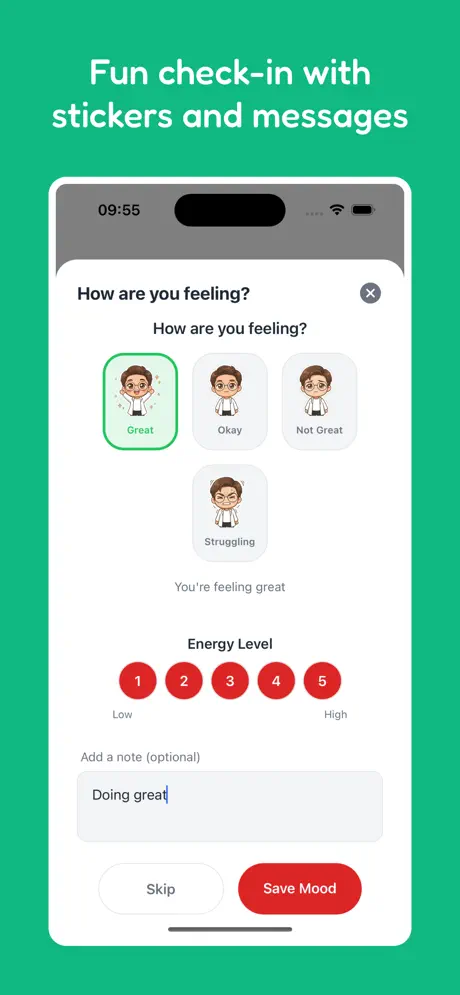
Quick Start (2 Minutes)
Download the App
Get Are You Alive? free from the App Store or Google Play.
Create an Account
Sign up with your email, Google account, or Apple ID. Takes about 30 seconds.
Tap the Heart Button
That's your first check-in! Do this once each day.
You're now set up with the basics. The sections below cover optional but recommended settings.
Setting Up Emergency Contacts
Emergency contacts are the people who receive an email if you miss check-ins for too long. This is optional but highly recommended.
- Go to Settings tab in the app
- Tap Emergency Contacts
- Add email addresses of trusted people (family, close friends, roommate)
- Set your Alert Delay (1, 2, or 3 days)
Tip: Choose the right delay
1 day: For high-risk situations (solo travel, elderly living alone)
2 days: Balanced option for most people
3 days: If you occasionally forget or have inconsistent schedules
Building Your Friend Network
Friends can see your daily "alive/inactive" status without you texting them individually.
- Go to the Friends tab
- Tap Add Friend or Search
- Find friends by email or username
- Send friend request (they need to accept)
Once connected, you'll see their check-in status:
- Alive: Checked in within the last 24 hours
- Inactive: No check-in for more than 24 hours
Customizing Your Profile
Help friends recognize you at a glance.
- Go to Profile tab
- Tap your avatar to upload a photo
- Add a short bio (optional)
Setting Up Reminders
Push notifications help you remember to check in daily.
- Make sure notifications are enabled in your phone settings
- Go to app Settings → Notifications
- Configure reminder times that work for your schedule
Pro Tip: Anchor to existing habits
Set reminders for when you already do something habitual—morning coffee, brushing teeth, or starting work. Habit stacking makes consistency easier.
Your Daily Routine
Using Are You Alive? effectively is simple:
- Wake up (or whenever makes sense for you)
- Open the app and tap the heart button
- Done! Repeat tomorrow
That's literally it. The check-in takes less than 2 seconds. Your friends and emergency contacts get peace of mind from your daily consistency.
Understanding Streaks
Streaks count consecutive days of check-ins. They're visible on your home screen and can be a fun motivator.
- Building a streak: Check in every day
- Breaking a streak: Miss a day and your count resets
Don't stress about streaks—they're a nice bonus, not the main goal. Safety and accountability come first.
Common Questions
What time should I check in?
Any time! The app tracks calendar days, so morning works well for most people.
What if I'm traveling and change time zones?
The app uses UTC time internally. Just check in once each day, wherever you are.
Can friends see my location?
No. We never track location. Friends only see your check-in status (alive/inactive).
How do I delete my account?
Go to Settings → Account → Delete Account. This is permanent.
Phase 1: Your First Check-In
Welcome to the first day of your new safety habit. Setting up Are You Alive? is designed to be effortless, but the impact on your peace of mind is profound. The first step is simply getting comfortable with the daily tap.
Once you've downloaded the app and created your account, you'll see a large, simple heart icon. This is your dashboard. Tapping it once turns it green, signaling to our system that you are "alive and active." We recommend building this into a morning ritual—perhaps right after your first cup of coffee or while you're checking the weather.
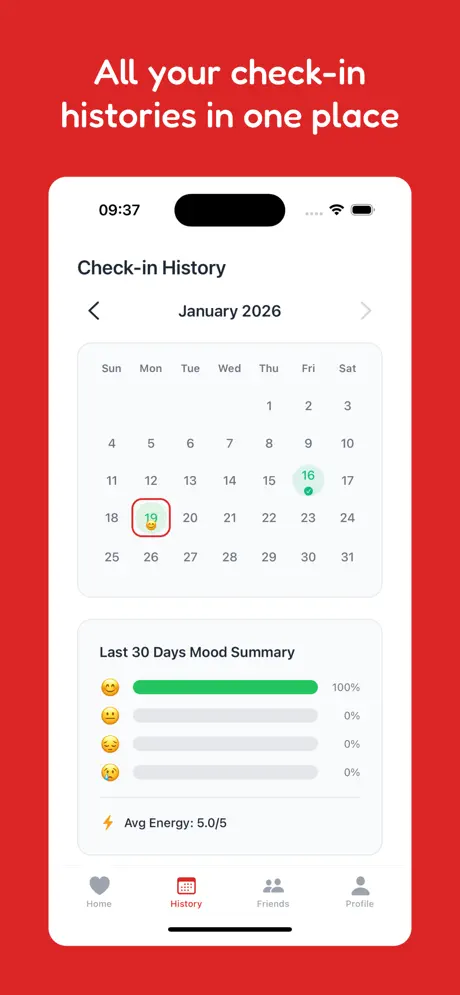
Tracking your success from day one.
Phase 2: Building Your Safety Circle
The true power of Are You Alive? lies in the connections you make. Adding emergency contacts is the most critical part of your setup process.
We recommend adding at least two distinct types of contacts:
- **Local First Responders:** A neighbor, a landlord, or a friend who lives within a 15-minute drive and has a spare key.
- **Emotional Support:** A parent, sibilng, or best friend who knows your medical history and can advocate for you if needed.
When you add a contact, they will receive an email explaining how the system works. It's helpful to send them a quick text letting them know they've been added to your "Digital Safety Net."
Phase 3: Deep Configuration for Your Lifestyle
Every user has a different routine. That's why we allow you to customize your "Escalation Delay." You can choose between 24, 48, or 72 hours of silence before your contacts are notified.
**The 24-Hour Timeout (High Accuracy):** Recommended for seniors living alone or people with known medical conditions. This ensures help is on the way as quickly as possible.
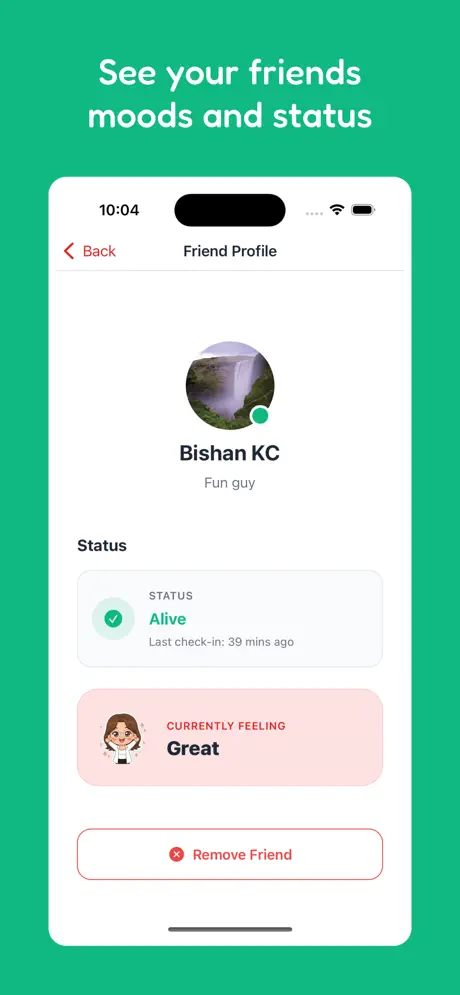
Your status, shared only with those you trust.
Troubleshooting Common Setup Issues
Most setup issues revolve around notification permissions. For **Are You Alive?** to work effectively, you must allow push notifications. This is how we send you the daily nudge to check in. If you find you're not receiving reminders, check your phone's system settings to ensure notifications are enabled for the app.
Maximizing Your Safety: Pro-Tips for Power Users
Once you've mastered the basics, you can use these advanced strategies to enhance your experience:
- **Dual-Device Setup:** If you use both a phone and a tablet, you can check in from either device.
- **Travel Mode:** If you're going into an area with no cell service, inform your contacts *before* you leave. You can also temporarily extend your timeout to 72 hours to allow for travel delays.
- **The "Streak" Mindset:** Many users find that the gamified streak tracking helps them stay consistent during periods of high stress.
The Philosophy of the Daily Tap
Remember, this isn't just about safety—it's about connection. Every tap is a small signal to the people who love you that you are doing well. It's a ritual of care that takes less than a second but provides hours of peace of mind.