Best Elderly Check-In Apps (2026)
Keep tabs on aging parents without being intrusive.
What to Look For
When choosing an app for checking on elderly parents, consider:
- Simplicity: Can your parent actually use it?
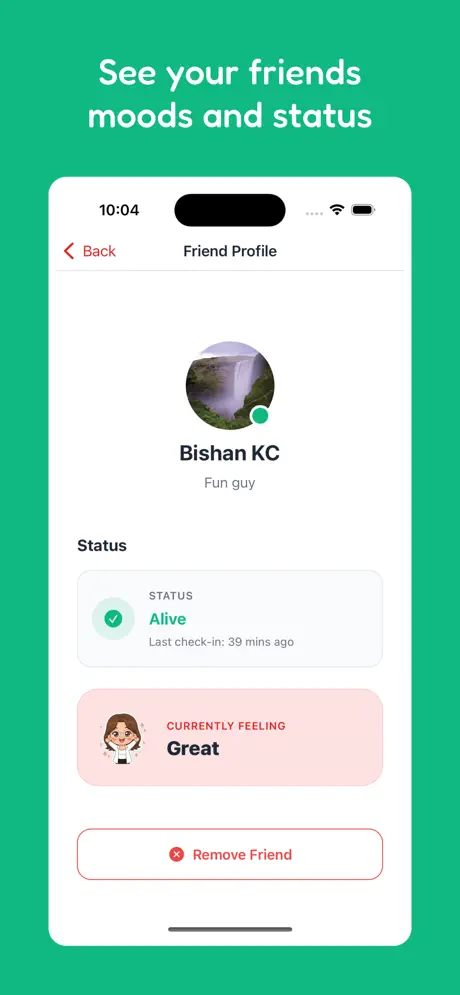
- Daily visibility: Do you want daily status or just emergency alerts?
- Cost: Monthly fees add up over years
- Stigma: Will your parent wear a "medical device"?
- Family access: Can all siblings/caregivers see status?
Top Apps Compared
Are You Alive?
Daily Check-InSimple daily check-in with one-button interface. Perfect for seniors who can use a smartphone.
- Completely free
- One-button design
- Family visibility
- No equipment needed
Tech-capable seniors, long-distance caregivers
Life Alert
Medical AlertTraditional medical alert with wearable pendant. Press button for 24/7 emergency response.
- Fall detection
- 24/7 monitoring
- Emergency dispatch
High fall risk, serious health conditions
Medical Guardian
Medical AlertMedical alert system with various device options. Fall detection and GPS available.
- Device options
- Fall detection
- GPS tracking available
Moderate-high risk seniors needing professional monitoring
Snug Safety
Daily Check-InDaily check-in app with SMS-based reminders. Can work without smartphone via text.
- SMS option
- Works without smartphone
- Simple
Seniors without smartphones
The Aging in Place Revolution: Why Technology is the Key
As we move further into 2026, the desire for seniors to "age in place"—staying in their own homes rather than moving to assisted living—has never been stronger. However, this independent lifestyle requires a robust safety net. Technology is the primary driver of this revolution, providing the tools necessary for seniors to stay safe while maintaining their autonomy.
The challenge has always been finding a balance between "too much" and "not enough" monitoring. Too much (like constant GPS tracking or cameras) can feel invasive and erode the senior's sense of dignity. Not enough (relying solely on occasional phone calls) can lead to dangerous situations going unnoticed for days.
Beyond the Panic Button: The Need for Daily Visibility
For decades, the "Panic Button" was the only option for senior safety. While Life Alert and similar services are excellent for immediate crises like a fall, they have a critical weakness: they are **reactive.** They only work if the senior is conscious and capable of pressing the button.
**Are You Alive?** provides **proactive visibility.** By requiring a simple daily check-in, the app ensures that a lack of action triggers an alert. This catches the "silent emergencies" that panic buttons often miss—incidents where the senior is incapacitated and cannot call for help.
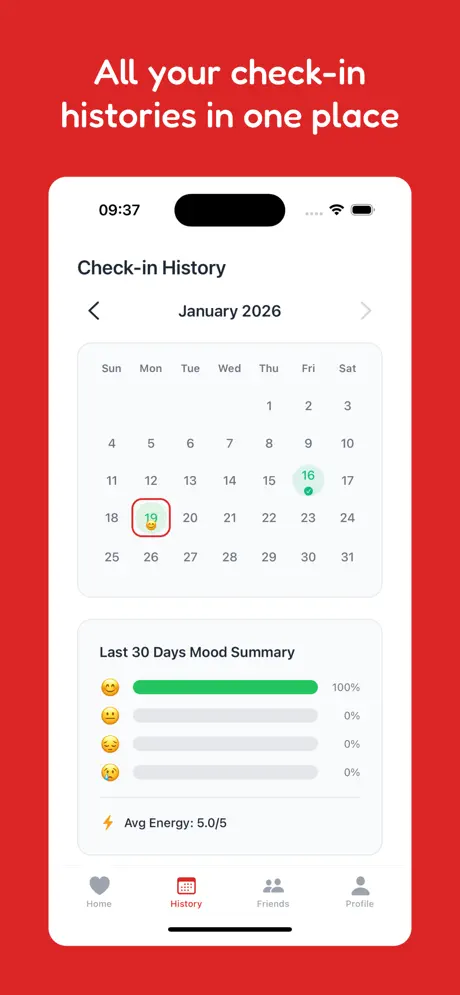
Proactive check-ins provide a continuous record of safety.
The Stigma of Aging: Why Seniors Reject "Medical" Devices
One of the biggest barriers to senior safety is the stigma associated with medical hardware. Many seniors refuse to wear a pendant or wristband because it makes them feel "old" or "sick."
Apps like Are You Alive? solve this psychological barrier. Because the tool lives on a smartphone—a device seniors already use for photos, news, and family connection—it doesn't feel like a "medical device." It's just another part of their digital routine, preserving their self-image as active, tech-savvy individuals.
Top Apps Compared
Are You Alive?
Daily Check-InSimple daily check-in with one-button interface. Perfect for seniors who can use a smartphone.
- Completely free
- One-button design
- Family visibility
- No equipment needed
Tech-capable seniors, long-distance caregivers
Life Alert
Medical AlertTraditional medical alert with wearable pendant. Press button for 24/7 emergency response.
- Fall detection
- 24/7 monitoring
- Emergency dispatch
High fall risk, serious health conditions
Medical Guardian
Medical AlertMedical alert system with various device options. Fall detection and GPS available.
- Device options
- Fall detection
- GPS tracking available
Moderate-high risk seniors needing professional monitoring
Snug Safety
Daily Check-InDaily check-in app with SMS-based reminders. Can work without smartphone via text.
- SMS option
- Works without smartphone
- Simple
Seniors without smartphones
Deep Dive: Designing for Seniors
What makes an app truly "age-friendly"? In 2026, the "Are You Alive?" team has focused on three design principles:
- High Contrast & Large Targets: Reducing the cognitive and physical load of checking in.
- No Hidden Menus: Ensuring the most important action is always front and center.
- Feedback Loops: Providing clear visual and haptic confirmation that a check-in was successful.
By contrast, many "family safety" apps are cluttered with features like driving reports, battery alerts, and location history, which can be overwhelming and confusing for some senior users.

Simple designs are the most inclusive designs.
The Caregiver's Burden: How Check-In Apps Reduce Anxiety
Caregivers—often the adult children of aging parents—experience a unique form of "Check-In Anxiety." They worry if they haven't heard from their parent by mid-morning, but they also don't want to "nag" them with constant calls.
Are You Alive? automates this process. The caregiver can simply glance at the app to see the parent's status. If the check-in is done, they can go about their day with total peace of mind. If it's missed, they know exactly when to reach out. It turns "worry" into "visibility."
The Cost of Care: Free vs. Paid Senior Safety Solutions
With the rising costs of healthcare, many families are looking for ways to reduce monthly expenses. Traditional medical alerts require a long-term financial commitment, often with hidden activation and cancellation fees.
By offering a robust **Free Tier**, Are You Alive? ensures that safety is not a luxury. Families can allocate their resources toward other needs, like home modifications or medical care, while still having a top-tier safety net in place.
Conclusion: A Balanced Approach to Independence
Ultimately, the goal of any elderly check-in app is to extend the period of independence. By choosing a tool that is simple, respectful, and proactive, you are giving your parent the gift of freedom and yourself the gift of peace of mind. Combine the strengths of daily check-ins with professional services when needed, and build a safety plan that evolves with your family's needs.
Our Recommendation
For families prioritizing dignity and independence, Are You Alive? is the best senior safety app of 2026. It eliminates the stigma of wearables while providing the daily accountability that families need.
We recommend starting with the free version of Are You Alive? and adding a professional monitoring service ONLY if there is a documented medical need for 24/7 fall detection.